

Characters Catalog
CAICHAT.AI hosts a vast collection of unique characters created by users from around the world! Looking for casual conversation? Or do you prefer exciting roleplay scenes, perhaps with a touch of intimacy? Everything is here.
Can’t find what you like? Create your own characters, share them with the community and even earn from them, or keep them private. CAICHAT.AI is a limitless space for your imagination.
Filters
To find characters that interest you, use the filters. To do this, go to the Characters Catalog and click the icon located at the top-left.

You can filter characters by:
- Tags – Select the tags you want to see in the catalog and exclude those you’re not interested in.
- NSFW – Turn off the switch to include adult characters in the catalog.
Characters can be sorted by:
- Newest
- Popularity
- Number of Chats
- Number of Likes
Or use the search to find a specific character by name or description.
Character Profile
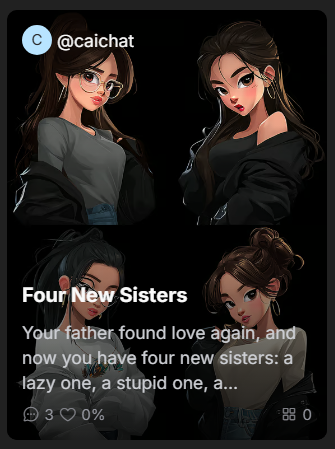
In the catalog, a character’s card displays brief information: the author’s username, the character’s name, description, number of chats, and rating.
To view full details, go to the character’s profile by clicking on their card.
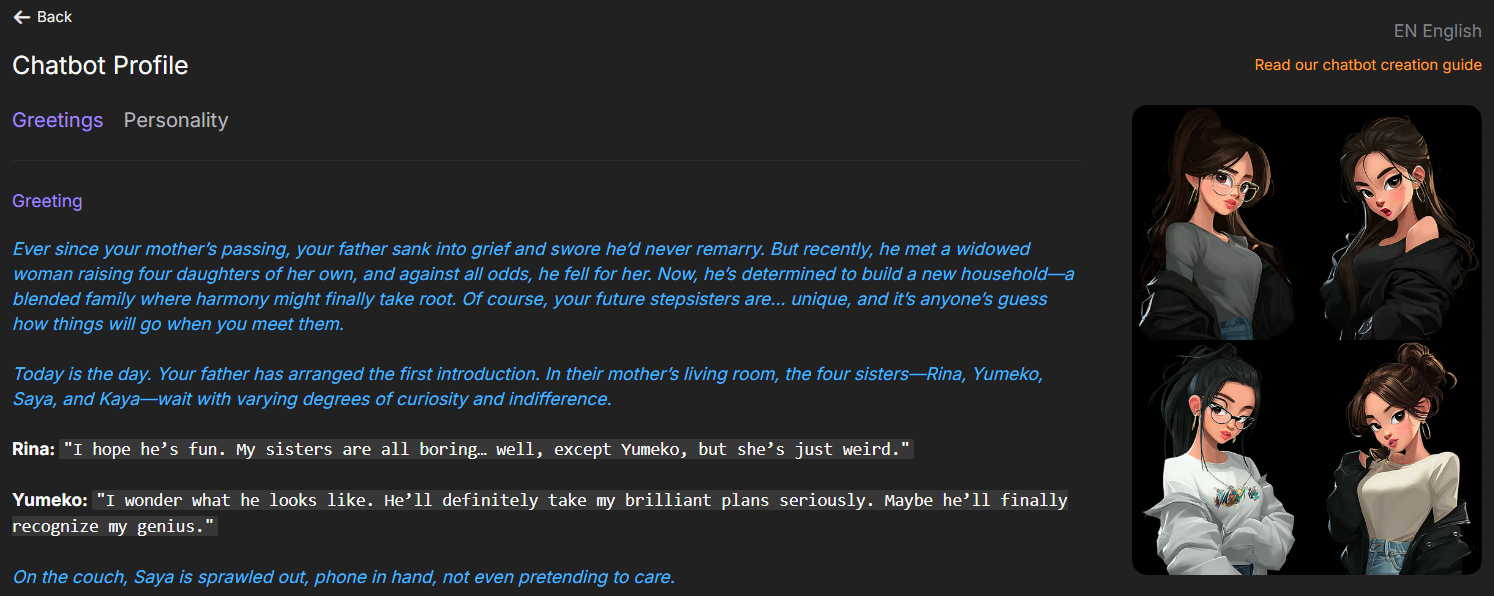
In the character profile, you can read the full description, see greeting options that start chats, learn about the character’s personality, view the storyline, and read the author’s note. You can also rate the character, add them to favorites, share with friends, report them, or block the author.
If the character is available in multiple languages, you can select your preferred language in the top-right corner.
To see all characters created by the same author, click on their username.
Favorites
To keep track of your favorite characters, add them to . Click the heart icon in the top-right corner of a character’s card. You can also do this on the character’s profile page or within a chat.
To view all your favorite characters, go to the section, which is located in the site’s left-hand menu.
Sharing Characters
You can share an interesting character with friends via messaging apps or social networks. To do this, click the three dots in the top-right corner of the character’s card and select from the menu.
You can then choose one of the suggested messaging apps or copy the link to send it through any app or website.
Report a Character
If you find a character that you believe violates community guidelines, report it to us. To do this, click the three dots in the top-right corner of the character’s card and select from the menu. In the window that appears, check the items the character may be violating and, if desired, fill in the field.
Moderators will review your report and take appropriate action.
Blocking Authors
If you block an author, their characters will be hidden from the catalog and your favorites. To do this, click the three dots in the top-right corner of a character’s card, select from the menu, and confirm the action in the popup window.
To unblock an author, go to the section in the site’s left-hand menu and click next to the desired author.
You can also block or unblock an author on their public profile page.